
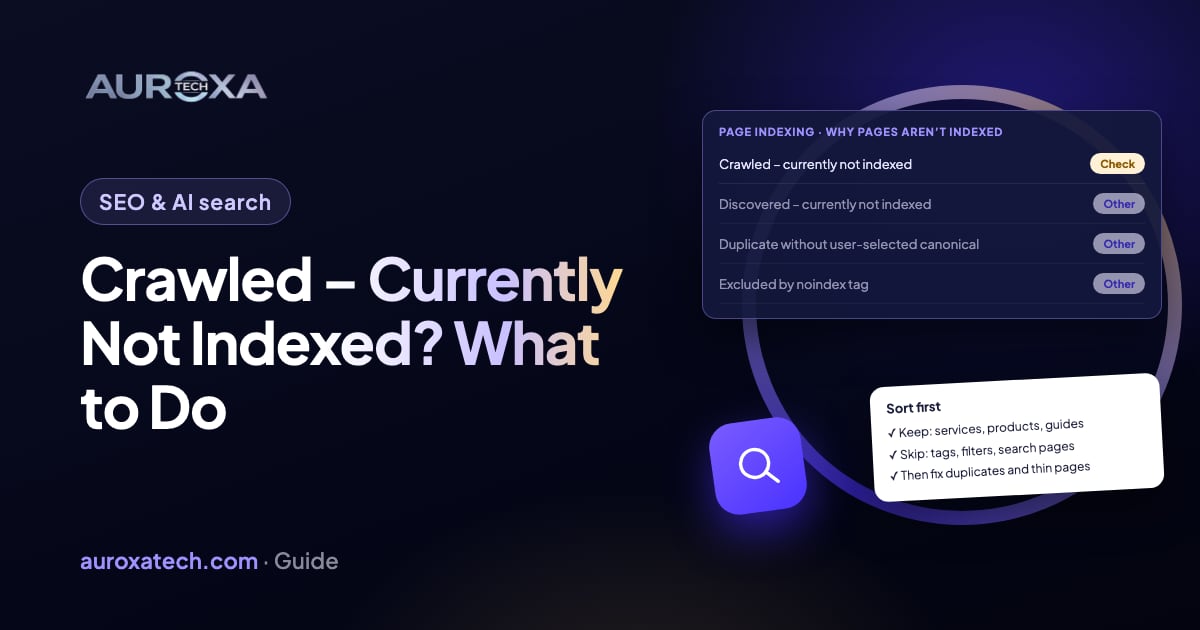
“Crawled – currently not indexed” means Google fetched the page and decided not to add it to its index for now. Google says the page may or may not be indexed later, that there is no need to resubmit it, and that not every URL on a site should be indexed. The order that works: sort the list into pages that should rank and pages that shouldn’t, inspect a few of the important ones to rule out a technical cause such as a duplicate or a page that renders empty, make those pages clearly worth indexing and link to them from pages already in the index, then request indexing once and wait. You can’t force Google to index a page; you can only remove the reasons it has to skip it.
Why Google crawls a page and then leaves it out
Google’s help page for the Page indexing report defines the status in one line: the page was crawled by Google but not indexed, and it “may or may not be indexed in the future; no need to resubmit this URL for crawling.” Unlike a 404 or a noindex tag, the status is not an error. It is Google deciding, for now, that the page doesn’t need to be in its index.
The same page says plainly: “Don’t expect every URL on your site to be indexed,” and “Non-indexed URLs can be fine.” Google wants the canonical version of your important pages; tag archives, filtered category URLs, near-empty pages and copies of other pages can stay out without hurting anything. That is why the first job is sorting, not fixing. On a small business site, the list is usually mostly pages nobody would search for, plus a handful that matter.
For the pages that matter, Google doesn’t publish a reason per URL. Its guidance points to three likely explanations. The page may be a near-duplicate of another URL, and Google picks “objectively the best version” among duplicates, according to its page on consolidating duplicate URLs. The page may not add enough, judged by questions such as whether it offers “substantial value when compared to other pages in search results” from Google’s helpful content guidance. Or the site may be new and Google is still deciding how much of it to keep. Community threads, such as one on the Ghost forum where most of a blog’s posts sat in this status, show how common the last case is.
| What you see | Likely cause | Fix (step n) |
|---|---|---|
| Tag, archive, search, filter or paginated URLs in the list | Pages Google doesn’t need; often fine | Leave them, or stop linking and listing them (step 2) |
| Two or more URLs with nearly the same content | Duplicates; Google indexes one version | Pick one URL, redirect or canonicalize the rest (step 4) |
| URL Inspection shows little or no text in the rendered page | Content loads late with JavaScript or is blocked | Make the main content load in the HTML (step 3) |
| Short service or location pages that repeat each other | Pages don’t add enough to be worth indexing | Merge them or give each its own substance (step 5) |
| Important page with no internal links pointing to it | Google sees few signals that it matters | Link to it from indexed pages and the sitemap (step 6) |
| New site, most pages in the list, nothing obviously wrong | Google is still deciding how much to keep | Fix what you can, request indexing once, then wait (steps 7 and 8) |
Before you change anything
- Export the list. In Search Console, open Indexing, then Pages, then the “Crawled – currently not indexed” row under “Why pages aren’t indexed”, and export the examples. You need the before list to know whether anything improved.
- Check the date column. The report shows when each URL was last crawled. A page crawled before your last fix tells you nothing about the fix.
- Don’t delete pages in a panic. Removing pages that already bring visitors because their neighbors aren’t indexed makes things worse.
- Don’t hammer Request indexing. Google’s page on asking Google to recrawl says there is a quota and that “requesting a recrawl multiple times for the same URL won’t get it crawled any faster.”
- Look at the trend, not one day. A list that grows while you publish nothing new is a different problem from a list that shrinks slowly after launch.
How to fix it, step by step
Step 1: Make sure it is this status
Three statuses get mixed up. “Discovered – currently not indexed” means Google found the URL but hasn’t crawled it yet, usually because crawling was expected to overload the site; that one is about crawl scheduling, and on a Shopify Community thread about new collection pages the advice was mostly to wait and add links. “Duplicate without user-selected canonical” and “Duplicate, Google chose different canonical than user” are about duplicates and have their own fixes. “Crawled – currently not indexed” is the one where Google has seen the page and passed on it. Fix the right one.
Step 2: Sort the list into keep and skip
Go through the exported URLs and mark each one. Pages that should rank: services, locations you actually serve, products, guides people search for. Pages that don’t need to: tag and author archives, internal search results, filtered or sorted category URLs, thank-you pages, attachment pages, test pages. Leave the second group alone, or stop linking to them in menus and remove them from the sitemap so Google spends its time on the first group. Only the first group needs work.
Step 3: Inspect the important pages
Paste one important URL into the URL Inspection box at the top of Search Console and run a live test. Check four things: the page returns 200, indexing is allowed (no noindex), the user-declared canonical is the page itself, and the rendered HTML (View tested page) contains your main text. If the screenshot or HTML is mostly empty because the content loads late with JavaScript, Google may be judging an almost blank page; fixing how it renders comes before anything else. Repeat for three or four pages of different types.
Step 4: Remove duplicates
Look for the same content under several URLs: with and without a trailing slash, with tracking parameters, an old and a new version of a service page, a print version, or the same product in several collections. Choose the URL you want indexed, then use the strong signals Google lists: a 301 redirect when the other URL shouldn’t exist, or a rel=canonical pointing to the chosen URL when it must stay. Google’s page says these signals stack, so keep the sitemap and your internal links pointing at the same chosen URL.
Step 5: Make the page worth indexing
Read the page against Google’s self-assessment questions: does it give original information, is it more useful than what already ranks, does it go beyond the obvious, or is it mainly summarizing others? Typical problems on small business sites are ten location pages with the city name swapped, a service page of two sentences, or blog posts written to fill a calendar. Merge thin pages into one strong page and redirect the rest, or add what only you can say: what the service includes, prices or how pricing works, the process, the area you cover, real photos and answers to the questions customers ask you.
Step 6: Link to it from pages Google already indexed
Google’s SEO starter guide says it “primarily finds pages through links from other pages it already crawled.” A page that only appears in the sitemap and is linked from nowhere else sends a weak signal. Add a link from the home page or a main service page, from related guides, and from the menu if it is a core page, with anchor text that says what the page is. Keep the page in the sitemap; the Ghost forum thread above was one where a broken sitemap submission was part of the problem, and a 2026 reply says submitting the root sitemap index fixed it for another user (community report).
Step 7: Request indexing once, then validate
After a page has really changed, run URL Inspection again and click Request indexing, once. For many URLs, resubmit the sitemap instead. When you have fixed the important pages, you can click Validate fix on the report row; Google says to fix all instances first, not to click it again until it has passed or failed, and that validation “typically takes up to about two weeks, but in some cases can take much longer.”
Step 8: Wait, and measure the right thing
Google’s recrawl page says crawling can take anywhere from a few days to a few weeks, and its starter guide says some changes take months. In a DEV Community thread about a new site with most pages in this status, replies ranged from “check duplicates and canonicals” to one member’s estimate of about three months before indexing settles (community opinion, not a Google figure). Track two numbers every two weeks: how many of your keep pages are indexed, and whether the list grows while you publish nothing. A growing list with no new pages suggests a site-wide problem, usually duplication or a template that produces thin pages.
What these steps can’t do
- They can’t force indexing. Google decides, and its help page says the page may or may not be indexed in the future.
- They can’t guarantee rankings. An indexed page still competes with every other page for the query.
- They don’t speed up with repetition. Requesting indexing every day uses your quota without changing the outcome.
- They won’t fix the status by editing robots.txt. Pages blocked by robots.txt show a different status; adding allow lines does nothing for pages Google has already crawled.
If the list is long and the cause isn’t obvious, the website traffic drop guide shows how to read Search Console before changing the site, and the same habits apply here: one change at a time, a dated note of what you changed, and a fair wait before judging.
Our SEO service starts with a technical audit that sorts every unindexed URL into keep or skip and finds the duplicates and thin templates behind it. You can also send your site for a free website audit or contact us with the export from Search Console.
Frequently asked questions
What does “Crawled – currently not indexed” mean?
Google fetched the page but chose not to add it to its index for now. Google’s help page says it may or may not be indexed in the future and that there is no need to resubmit it. It is not an error like a 404 or a noindex tag.
Is it bad if many pages have this status?
Not by itself. Google says not to expect every URL to be indexed and that non-indexed URLs can be fine. It matters when pages you want to rank, such as service or product pages, are on the list, or when the list grows while you publish nothing new.
Should I click Request indexing for every page?
No. Google says there is a quota for individual URLs, that a sitemap is better for many URLs, and that requesting a recrawl multiple times won’t make it faster. Request indexing once for an important page after you have actually improved it.
How long does it take to get indexed?
Google says crawling can take a few days to a few weeks and that validation in Search Console typically takes up to about two weeks, sometimes longer. Some changes take months to show an effect, so judge after several weeks, not days.
What is the difference from “Discovered – currently not indexed”?
“Discovered” means Google knows the URL but hasn’t crawled it yet, usually to avoid overloading the site. “Crawled” means Google has already looked at the page and decided not to index it for now, so the fix is about duplicates, rendering and how useful the page is.
Sources
- Google Search Console Help: Page indexing report
- Google Search Central: Ask Google to recrawl your URLs
- Google Search Central: How to specify a canonical URL (consolidate duplicate URLs)
- Google Search Central: Creating helpful, reliable, people-first content
- Google Search Central: SEO starter guide
- Ghost Forum (community): Crawled – currently not indexed (Jan 2025, reply Feb 2026)
- DEV Community (community): SEO, crawled currently not indexed, help (2022–2025)
- Shopify Community (community): Why are my collection pages not indexed in Google? (Nov 2022)