
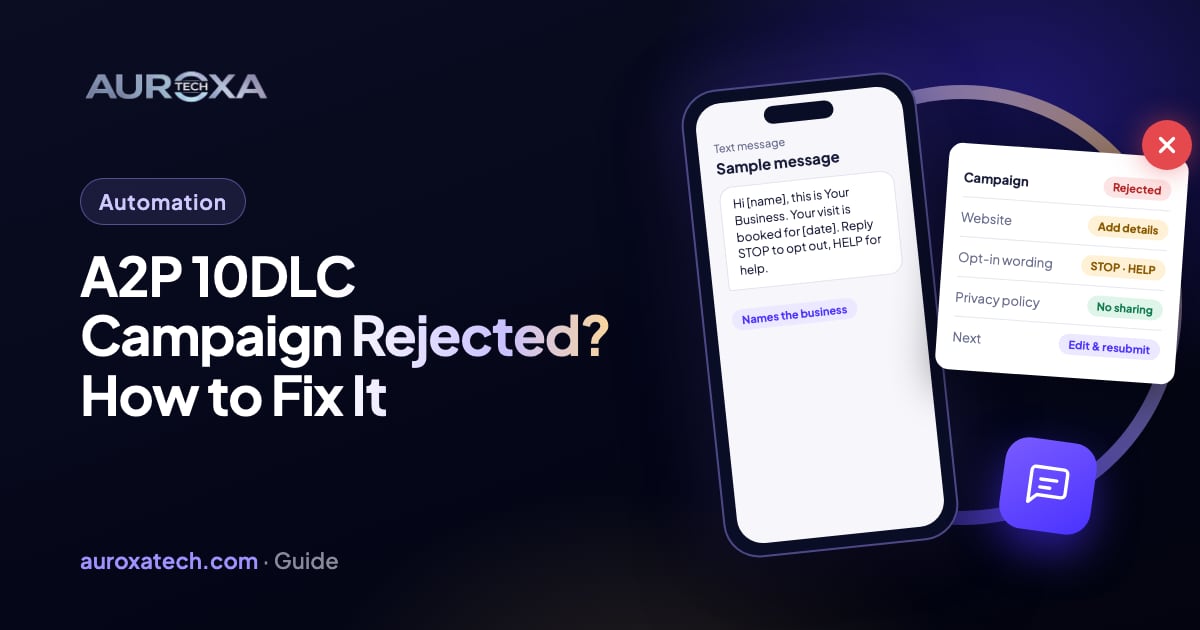
An A2P 10DLC campaign is rejected when the reviewers can’t confirm who is texting, why, and how people agreed to receive the texts. The usual gaps are a website that doesn’t show the business or the texting program, opt-in wording without frequency, rates, STOP and HELP, a privacy policy that doesn’t say phone numbers are never shared, and sample messages that don’t name the business. The order that works: read the exact error code, fix the website and opt-in first, rewrite the campaign description and samples, then edit and resubmit the same campaign instead of deleting it. Some rejections, such as prohibited content or third-party lead generation, can’t be fixed by resubmitting.
Why A2P 10DLC campaigns get rejected
If your business sends texts from software, such as appointment reminders, a missed-call text-back or follow-ups from an AI receptionist, and it sends them from a normal 10-digit US number, the carriers want that traffic registered. Twilio’s A2P 10DLC overview says anyone sending SMS or MMS over a 10DLC number from an application to the US must register. Registration has two parts: a brand, which says who is sending, and a campaign, which says what the messages are for and how people opt in, opt out and get help. Toll-free numbers and short codes have their own processes and aren’t part of 10DLC.
The brand is usually approved first. The campaign is where most small businesses get stuck, because a reviewer reads your description, your sample messages and your website and has to be able to match them. If the website is a single form, if the signup box doesn’t say how often you text, or if the samples don’t name your business, the campaign comes back rejected. Twilio’s March 2026 changelog says it started rolling out more specific error codes from March 23, 2026, so the code you see now points at one fix instead of a generic “rejected”.
Two newer rules catch integrations that were built earlier. Twilio’s error pages for 30934 and 30933 say that starting June 30, 2026, a Terms and Conditions URL and a Privacy Policy URL are required when a campaign is created through the API. Older code that left those fields empty now fails before review even starts. If you use a texting tool built on a provider like Twilio, the tool shows the same reasons in its own words; JustCall’s help page on rejected campaigns, for example, lists the same categories.
| What you see | Likely cause | Fix (step n) |
|---|---|---|
| Website lacks business or use-case info (30919) | Site is empty, private or doesn’t explain the texts | Fix the website (step 3) |
| Website is only a form (30920) | You submitted a landing page or lead form | Submit the main business site (step 3) |
| Opt-in or consent errors (30909, 30924, 30896) | Signup wording misses frequency, rates, STOP or HELP | Rewrite the opt-in (step 4) |
| Invalid description or samples (30886, 30893) | Description and samples don’t match, or don’t name you | Rewrite description and samples (step 5) |
| Contact or email can’t be verified (30971, 30972) | Free email domain, or a contact who isn’t from the business | Fix the contact details (step 6) |
| Wrong brand type (30903) | Sole Proprietor brand for a business with a tax ID | Fix the brand, then a new campaign (step 6) |
| Terms or Privacy URL required (30934, 30933) | API request created before June 30, 2026 rules | Add both URLs to the request (step 7) |
| Content, spam or fraud rejection (30883 to 30885) | Use case carriers don’t allow | Don’t resubmit; appeal or change the use case (step 9) |
Before you change anything
- Don’t delete the rejected campaign. Twilio’s troubleshooting page says a vetting fee is charged once per campaign. Editing and resubmitting keeps the campaign; deleting and creating a new one means a new fee.
- Copy the exact error code and text. Each code has its own page with the fix. Write it down before you edit anything, because the next review replaces it.
- Don’t start sending from an unregistered number to “test”. Messages from unregistered campaigns are what registration exists to stop, and the carriers can block them.
- Find who owns the website and the texting tool. Most fixes are on the website, so you need whoever can edit it and whoever set up the number.
- Check what you actually text. Gather a few real messages your system sends. The samples you submit must look like them.
How to fix it, step by step
Step 1: Read the code and its page
Open the campaign in your provider’s console and find the rejection reason. In Twilio it is a five-digit code starting with 30; in tools built on a provider it may be a category such as “Opt-in error” or “Invalid website URL”. Search the code on your provider’s error documentation and read the listed causes. Several codes can apply at once, so fix all of them before resubmitting, not only the first one.
Step 2: Check whether the brand is the problem
Some rejections are about the brand, not the campaign. Twilio’s page for 30903 says Sole Proprietor brands are only for businesses in the US or Canada that have no EIN or other tax ID. If your business has an EIN, it needs a Low-Volume Standard or Standard brand, and those are the only brand types that allow more than one campaign. When the brand itself is wrong, Twilio says to correct and resubmit the brand, then register a new campaign. For every other code, keep the brand and fix the campaign.
Step 3: Fix the website the reviewers check
This is the most common fix. Twilio’s page for 30919 lists what fails: a site that is empty, under construction, private, password-protected or misspelled, a site with no business name or contact details, and a site that doesn’t explain the texting program or the opt-in. The page for 30920 adds that a standalone form or landing page isn’t enough; submit your main business website.
On that website, make sure a visitor can see your business name, address or service area, phone number and what you sell. Add a short section that says what texts you send (for example, appointment reminders and replies to missed calls), who receives them and how they sign up. Link your privacy policy and your terms from the footer and from the signup page. If the signup happens behind a login or on paper, Twilio says to provide a public URL with screenshots of it.
Step 4: Rewrite the opt-in wording
Reviewers need to see exactly how a person agrees to your texts. Twilio’s page for 30924 says the consent language must sit at or next to the checkbox or button, not inside a linked document, and that a checkbox that only says “I agree to the Terms of Service” fails. The wording should include your business name, what kind of messages you send, how often, “Message and data rates may apply”, “Reply STOP to unsubscribe” and “Reply HELP for help”.
The page for 30909 adds that a website checkbox for texts must be optional and unchecked by default, and that the message flow field in the campaign, between 40 and 2,048 characters, must describe each way people opt in: a web form, a keyword they text, or a verbal script. For a verbal opt-in, such as a receptionist asking on a call, submit the full script and a public page that shows it. JustCall’s help page also lists a pre-checked box and making texts a condition of buying as reasons for rejection.
Then fix the privacy policy. Twilio’s page for 30896 says it must state that mobile numbers are not shared with third parties or affiliates for marketing. A generic policy that allows sharing data with “partners” is a likely reason for an opt-in rejection even when the form itself is fine.
Step 5: Rewrite the description and sample messages
Twilio’s page for 30886 says the campaign description must say who sends the messages, who receives them and why, and must match the use case, the samples and the brand. Write it in plain sentences: “Acme Plumbing sends appointment confirmations, reminders and replies to missed calls to customers who request service on our website or by phone.” If a software vendor registers on your behalf, the description must name your business, not the vendor.
For samples, the troubleshooting page says at least one must include your business name, and that templated parts should sit in brackets, for example “Hi [first name], this is Acme Plumbing. Your visit is booked for [date] at [time]. Reply STOP to opt out.” Don’t use bit.ly or other public link shorteners in samples; Twilio says they lead to rejection and that you need a branded short domain instead. Make sure the samples look like what your system really sends.
Step 6: Fix the contact details
Twilio’s page for 30971 says a contact email on a free domain such as Gmail often can’t be linked to the business; use an address on your own domain, or publish that exact address on your website. The page for 30972 says the contact must be an employee or officer who can act for the business, and that an outside agency registering for you needs a letter of authorization.
Step 7: If you register through the API, send both URLs
If your own code or a developer’s script creates campaigns, check the create request. Since June 30, 2026 it must include TermsAndConditionsUrl and PrivacyPolicyUrl, each a public HTTPS page on your site with real content. With either missing, the request fails with 30934 or 30933 and no campaign is created, so you send a new create request once the fields are added. Apps that register campaigns for many clients need to collect both URLs during onboarding.
Step 8: Edit and resubmit the same campaign
In Twilio’s console, open the failed campaign and use “Edit & resubmit” (or “Fix Campaign” in the older console), update the fields and run the error check. The troubleshooting page says edits are only possible for campaigns with a failed status, that there is no limit on resubmissions in the console, and that standard vetting takes up to five business days. Twilio’s opt-in error page says Sole Proprietor campaigns are typically approved or rejected within hours to days. Editing through the API requires access to a beta; without it, Twilio says API customers can delete and recreate the campaign, but the new campaign carries a new vetting fee.
Step 9: Know when not to resubmit
Some rejections can’t be fixed with better wording. Twilio’s troubleshooting page lists content violations, spam or phishing risk and fraud (30883, 30884 and 30885) as rejections that can only be appealed through support. JustCall’s page lists similar categories it calls ineligible for resubmission, including sex, hate, alcohol, firearms, tobacco and cannabis content, and third-party lead generation. If your use case is one of these, sending the same campaign again won’t change the answer; the use case or the channel has to change.
What these steps can’t do
- They can’t speed up the review. Standard campaigns can take up to five business days after each resubmission.
- They can’t make a prohibited use case acceptable. Content and lead-generation rejections need a different program, not new wording.
- They can’t cover texts you already sent from an unregistered number. Registration applies going forward.
- They aren’t legal advice. Consent rules such as the TCPA are a separate question; the missed-call text-back guide covers the basics, and a lawyer should check anything you are unsure of.
Once the campaign is approved, keep the website, the opt-in wording and the messages in line with what you registered. If you start sending a new kind of message, such as promotions, that is a new use case and may need its own campaign.
Our workflow automation service builds texting workflows such as missed-call text-back and reminders, including the opt-in page and the registration details. If your campaign keeps coming back rejected, send us the error code and your website address.
Frequently asked questions
Why was my A2P 10DLC campaign rejected?
Usually because the reviewers couldn’t match your business, your texting program and your opt-in. The common causes are a website that doesn’t show the business or explain the texts, opt-in wording without frequency, rates, STOP and HELP, a privacy policy that allows sharing phone numbers, and samples that don’t name the business.
Should I delete the rejected campaign and start again?
No, in most cases. Twilio charges the vetting fee once per campaign, so editing and resubmitting the failed campaign avoids a second fee. Delete and recreate only when the use case itself is wrong or the brand failed, or when you register through the API without access to editing.
How long does a resubmitted campaign take to review?
Twilio says standard campaigns take up to five business days to vet, and Sole Proprietor campaigns are typically decided within hours to days. Each resubmission starts a new review.
What changed for A2P 10DLC in 2026?
Twilio began rolling out more specific rejection codes from March 23, 2026. From June 30, 2026, campaigns created through Twilio’s API must include a Terms and Conditions URL and a Privacy Policy URL, or the request fails with error 30934 or 30933.
Can a sole proprietor register for A2P 10DLC?
Yes, if the business is in the US or Canada and has no EIN or other tax ID. A Sole Proprietor brand allows one campaign. A business with an EIN must register a Low-Volume Standard or Standard brand instead, or the campaign is rejected.
Sources
- Twilio Docs: Programmable Messaging and A2P 10DLC
- Twilio Docs: Troubleshooting and rectifying A2P campaigns
- Twilio Changelog: more actionable error codes for A2P 10DLC campaigns (Mar 2026)
- Twilio error 30919: website lacks business or use-case info
- Twilio error 30920: website is only a form
- Twilio error 30909: message flow incomplete
- Twilio error 30924: consent language missing
- Twilio error 30896: opt-in error
- Twilio error 30886: invalid campaign description
- Twilio error 30971: business email can’t be verified
- Twilio error 30972: contact must be an authorized representative
- Twilio error 30903: incorrect Sole Proprietor brand
- Twilio error 30934: Terms and Conditions URL required
- Twilio error 30933: Privacy Policy URL required
- JustCall Help Center (vendor): why was my A2P 10DLC campaign rejected (Sep 2026)