To regain access to your website hosting, first list everything the site depends on: the domain registrar, DNS, hosting, the site’s admin, email, Search Console and analytics. Look up who holds each one, ask the previous developer in writing to hand over or transfer the accounts, and use each provider’s own account recovery with proof that the business owns the site. Then give every account a unique password and two-step verification, and keep a written record of who owns what.
What do you actually need to control?
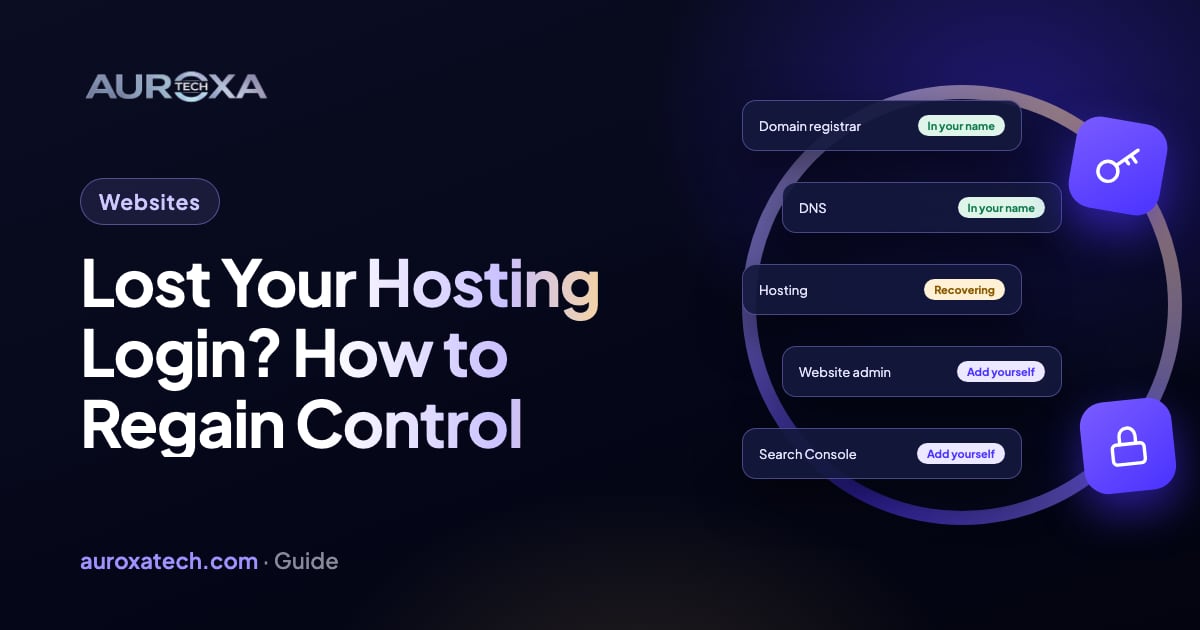
A website isn’t one account. It is a chain of accounts, often opened by different people over several years, and losing any link can take the site or your email down. Before you contact anyone, write down each part and who you think holds it:
| What | What it does | Clues to who holds it |
|---|---|---|
| Domain registrar account | Where the domain name is registered and renewed | Renewal emails, card statements, the registrar named in a lookup |
| DNS | Points the domain at your hosting and email | The name servers in a lookup; often the registrar, the host or a separate DNS service |
| Hosting | Stores and serves the website’s files and database | Hosting invoices, the IP address the domain points to |
| Site admin | WordPress, Shopify or another CMS where you edit pages | Old welcome emails, your developer’s handover notes |
| Mailboxes on your domain | The provider you log in to for webmail | |
| Search Console and analytics | Search data, indexing and visitor reports | Who receives the reports today |
| Backups | Copies of files and database | Your host’s control panel, a backup plugin or service |
Card and bank statements are often the quickest clue. A yearly charge from a registrar or host tells you who you pay, and the invoice is also evidence you can use later. If you find the site is also broken, slow or half-finished, our website and app fixes service can take over once you have access back.
Step 1: Find out who holds each account
Start with the domain, because everything else hangs off it. Search for it at lookup.icann.org, ICANN’s free registration data tool. ICANN’s registrant FAQ points domain holders to it to see their publicly available contact information and to find which registrar a domain is with. If the registrant’s details are masked, the result still names the registrar, and that tells you who to contact.
Next, run a DNS lookup on the domain. Its name servers show who runs the DNS, the A record shows the IP address the website points to, and the MX records show where email is delivered. ICANN says its Lookup tool also covers IP networks, so a search for the website’s IP address usually names the hosting company or the network it runs on.
Fill in the table as you go. For each line, note the provider, the email address the account is likely tied to, and whether that address belongs to the business, to an employee who left or to the developer.
Step 2: Ask the previous developer, in writing
Most lost access isn’t theft. The developer opened the accounts in their own name to save time, then moved on. ICANN’s FAQ covers exactly this case: if you are not the registrant or administrative contact of record, you may not be able to access the domain, and you should contact the person or company that registered it to get access. If they can’t be reached, ICANN says to contact your registrar right away.
Send a short, polite email, so there is a dated record, and ask for:
- The domain moved into a registrar account in the business’s name, with the business listed as the registrant.
- The hosting account transferred to the business, or you added as its owner.
- Full admin access to the site, and to Search Console and analytics, for an account the business controls.
- A current backup of the site’s files and database.
- A list of any other services the site uses, such as DNS, email, forms or payment plugins.
Ask for accounts to be moved or for you to be added, rather than for passwords to be emailed. ICANN’s advice to domain holders is that you should never give anyone the login information to your online account, and the same logic applies in reverse: a shared password stays shared. Give a reasonable date, and change every password once the handover is done.
Step 3: Recover each account through the provider
If the developer doesn’t answer, go to each provider directly. Use only their own account recovery or support process, and be ready to prove the business owns the site.
The domain registrar
Contact the registrar’s support, explain that the account holder is unreachable and ask what proof they accept. Useful evidence includes invoices or card statements for the domain, company registration documents, ID for the person named in the registration, and control of the email address on the record.
Who the registrar listens to depends on the registration record. Under ICANN’s Transfer Policy, the registered name holder is the only party with the authority to approve or deny a transfer. Registrars must give the registered name holder the domain’s transfer code (the AuthInfo code), within five calendar days of the request if the registrar doesn’t offer a way to get it yourself. After a change of registrant, the registrar must apply a 60-day lock on moving the domain to another registrar, although it may let the registrant opt out before the change is requested. So if the business is the registrant, you have a clear route; if the developer is, you need their cooperation or advice (see the FAQ below).
Hosting
Hosting companies run their own recovery processes, and they differ. Ask support what they need; it is usually some mix of the account’s billing details, invoices, ID and proof you control the domain. If the hosting account can’t be recovered but you control the domain, you can still move: put the site on new hosting from a backup, or rebuild it, then point the DNS at the new server. Our guide to redesign vs rebuild helps you decide which is worth doing, and how to keep your URLs and rankings when you launch.
The site admin and email
Once you control the hosting or the platform account, use the normal password reset to an email address the business owns. For email on your domain, the admin account at your email provider can reset mailboxes, so recover that admin account the same way, through the provider.
Google Search Console
You don’t need the old developer to get into Search Console. Once you control DNS, you can verify ownership of a Domain property by adding a DNS record. Google allows several owners of one property, so your verification doesn’t remove theirs. To stay verified, leave the DNS record in place after verification succeeds.
Then remove owners who no longer work with you. A delegated owner can be removed on the Users and permissions screen. A verified owner can only be removed by deleting their verification token, such as their DNS record or HTML file. Google notes that as long as a user’s token remains, a deleted owner can re-verify, so remove the token too.
What not to do
- Don’t try to guess passwords or get into an account in someone else’s name outside the provider’s own process, even if you paid for the site.
- Don’t pay anyone who offers to “unlock” an account for you. Only the provider can restore access.
- Don’t let the domain expire while you sort this out. Renew it from the account you can reach, or ask the registrar how.
- Don’t delete the old site or hosting account until you have a full backup in your hands.
Step 4: Lock everything down
- New passwords for every account. CISA, the US cybersecurity agency, recommends passwords that are at least 16 characters long and used for only one account, kept in a company-wide password manager.
- Two-step verification everywhere. CISA advises businesses to always use phishing-resistant multifactor authentication along with strong passwords. ICANN suggests checking whether your registrar offers multistep authentication.
- Use a contact email that doesn’t depend on the domain. ICANN’s advice to domain holders is that it is best to use an email address not associated with the domain you are registering, so you can still prove you hold it if something goes wrong.
- Keep the registration details current. ICANN’s FAQ warns that a registration may be suspended or cancelled if you don’t respond to your registrar’s request within 15 days.
- Give people their own logins. Developers and agencies get their own user accounts with the access they need, which you can remove on the day they finish.
- Keep your own backups. A recent copy of the files and database, stored outside the hosting account.
- Write it down. Keep the table from the start of this guide up to date, with renewal dates, and store it with your other business records.
What should my next website contract say?
Most of this can be avoided at the start of a project. ICANN says it is not recommended to list website designers, hosting providers or any other third parties as the registrant of your domain, and that if you do, you should seek legal advice on the contractual obligations they must follow. In a contract with a developer, look for:
- The domain, hosting and email accounts opened in the business’s name, with a business email address.
- The developer working through their own user accounts, not the owner login.
- A handover at the end: credentials list, current backup, and a note of every service the site uses.
- Ownership of the code and content stated in writing.
This is general information, not legal advice. For anything contractual or disputed, ask a lawyer who knows your jurisdiction.
Got access back and not sure what state the site is in? Request a free website audit; it needs no logins. If something is broken, describe the problem and we’ll reply with the likely cause and the next step.
Frequently asked questions
The domain is registered in my developer’s name. Is it still mine?
It depends on the registration record and on what you agreed. Under ICANN’s Transfer Policy, the registered name holder is the only party that can approve a transfer, so if that is your developer, ask them in writing to change the registrant to your business. Keep invoices and your contract. If they refuse or can’t be reached, talk to the registrar and get legal advice.
Can I move my website without the old hosting login?
Often, yes, if you control the domain and its DNS. You need a copy of the site: a backup from the developer or the host, or the content to rebuild it. Set the site up on new hosting, test it, then point the domain at the new server. Check the email (MX) records before changing DNS, so mail keeps arriving.
The old developer is still an owner in Search Console. How do I remove them?
Verify your own ownership first, for example with a DNS record. Then remove them in Users and permissions. If they were a verified owner, also delete their verification token, such as their DNS record or HTML file. Google says a deleted owner can re-verify as long as their token remains, so removing the user alone isn’t enough.
How do I stop this happening again?
Open the domain, hosting and email accounts in the business’s name, with a business email address. Give developers their own user accounts, never the owner login. Turn on two-step verification, keep passwords in a company password manager, hold your own backups, and keep a list of every account, its owner and renewal date.
Sources
- ICANN: FAQs on registrant contact information (access when someone else registered the domain)
- ICANN: WHOIS and registration data directory services (Lookup tool)
- ICANN: Transfer Policy
- ICANN blog: how to protect your domain name against hijacking (2018)
- Google Search Console Help: verify your site ownership
- Google Search Console Help: manage owners, users and permissions
- CISA: require strong passwords